Users with the appropriate access permissions can create a new share class based on updated incorporation documents.
When should you create a new share class?
- After closing a financing round
- When a new incorporation document has been filed
- When issuing a new class of shares (common or preferred)
Steps to create a new share class
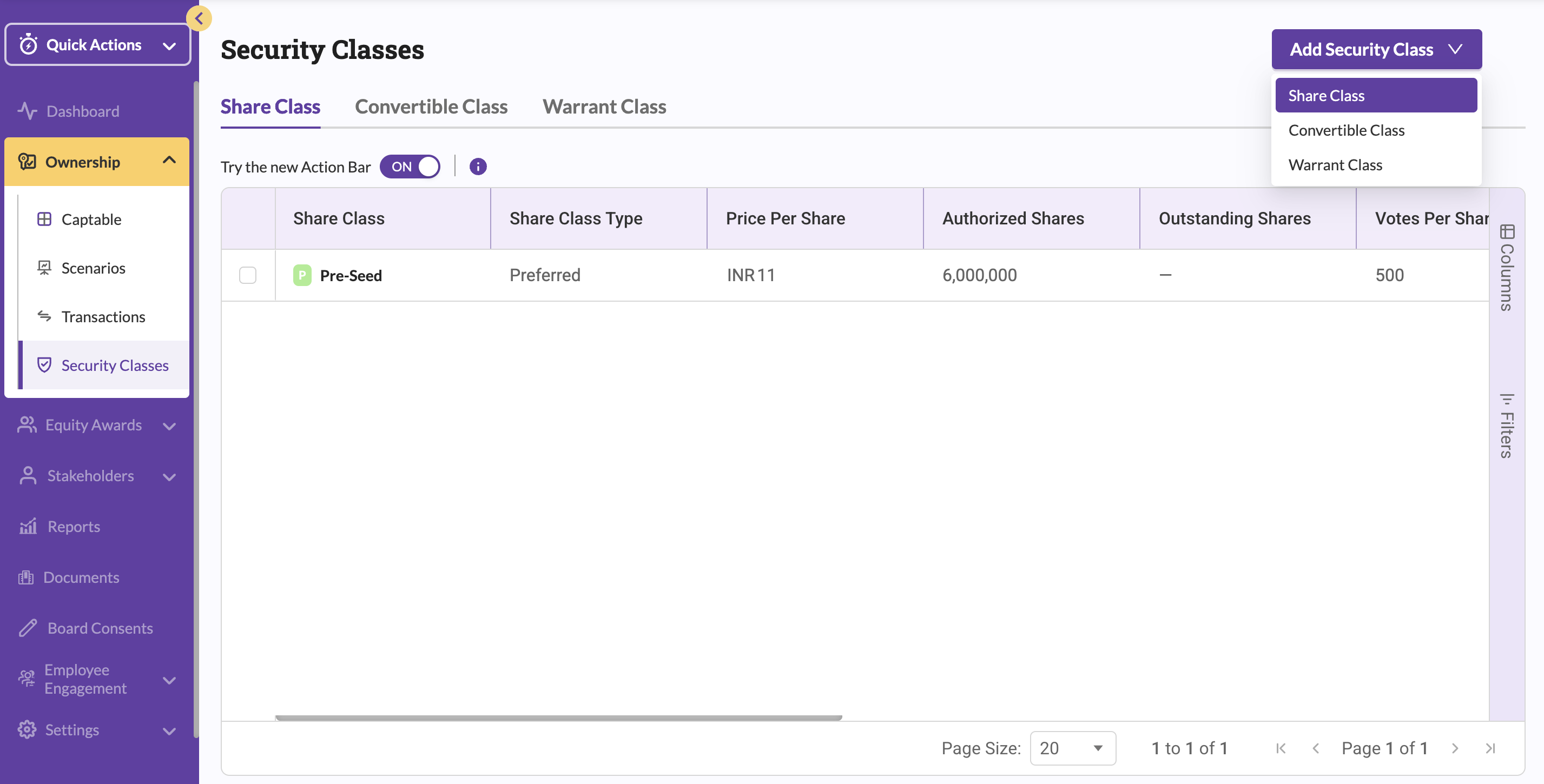
- From the left navigation bar, click Ownership.
- Select Security Classes.
- Click Add Security Class in the top-right corner and choose Share Class from the dropdown.
- In the form that appears, select the share class type (Common or Preferred).
- Enter the required details exactly as per official documents.
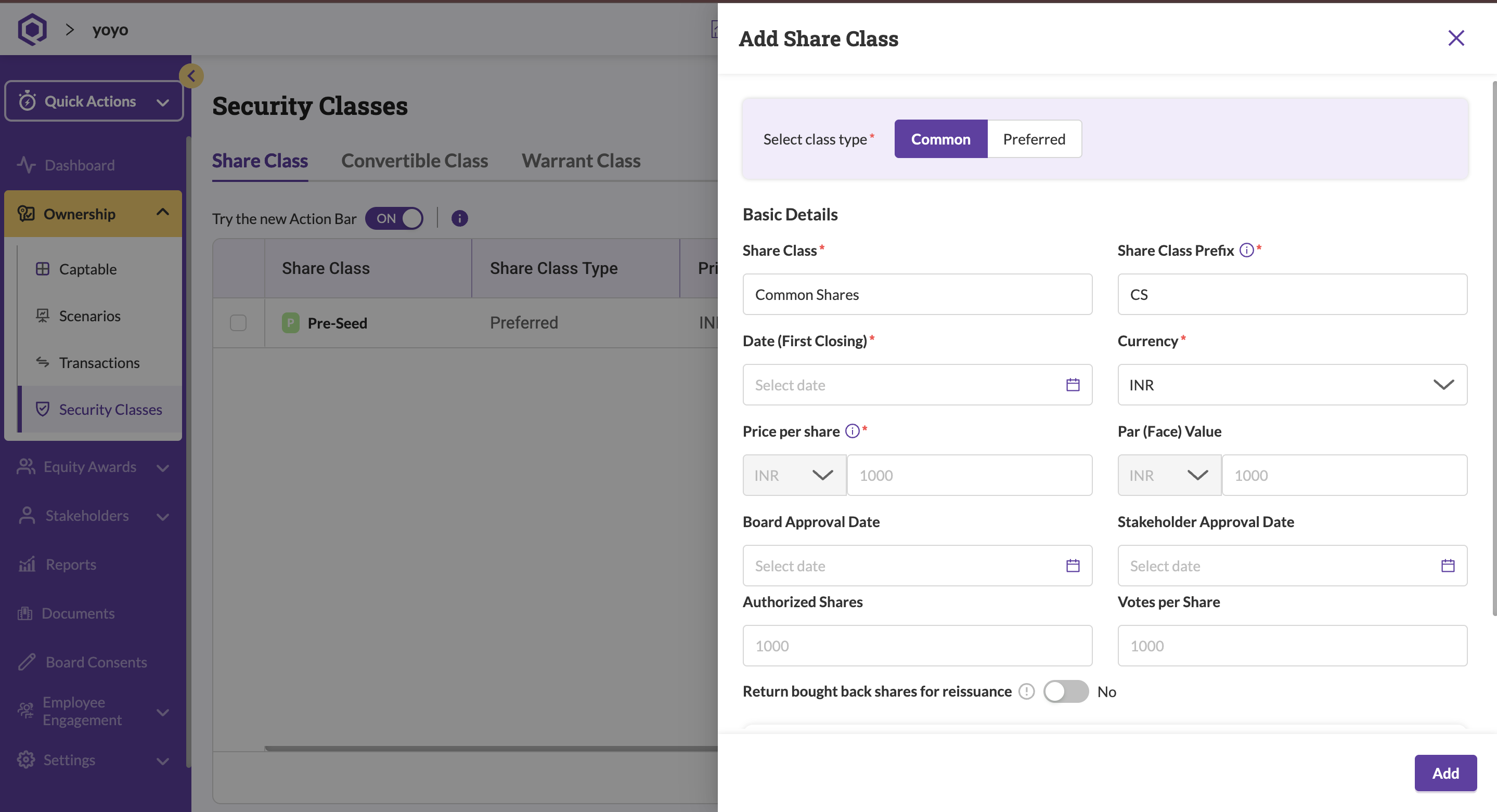
- Click Add.
The newly created share class will now appear on the Security Classes page.
Note:
If you need to modify an existing share class linked to a current or previous incorporation document, follow the steps under Correcting share class information instead of creating a new share class.
If you have recently closed a financing round, you can use the steps above to:
- Add new share classes
- Upload supporting incorporation or filing documents
- Set applicable preferences for the round
This ensures your cap table reflects the most recent ownership structure.
Was this article helpful?
That’s Great!
Thank you for your feedback
Sorry! We couldn't be helpful
Thank you for your feedback
Feedback sent
We appreciate your effort and will try to fix the article