1.2 Preparing for Fundraise
If you’re preparing for a fundraise, Qapita helps you model dilution scenarios, understand the impact of different term sheet structures, and stay fully prepared for investor conversations.
With Qapita, you can run a proforma cap table and model different scenarios to understand how fundraising rounds or equity events affect ownership, dilution, and your overall cap table structure.
Proforma Cap Table Overview
|
In this article, you’ll learn how to use Qapita’s Proforma Cap Table feature - a powerful way to visualize ownership and dilution so you can make informed decisions with confidence.
Step 1: From the left-hand menu, select the Ownership section, then click on Cap Table.
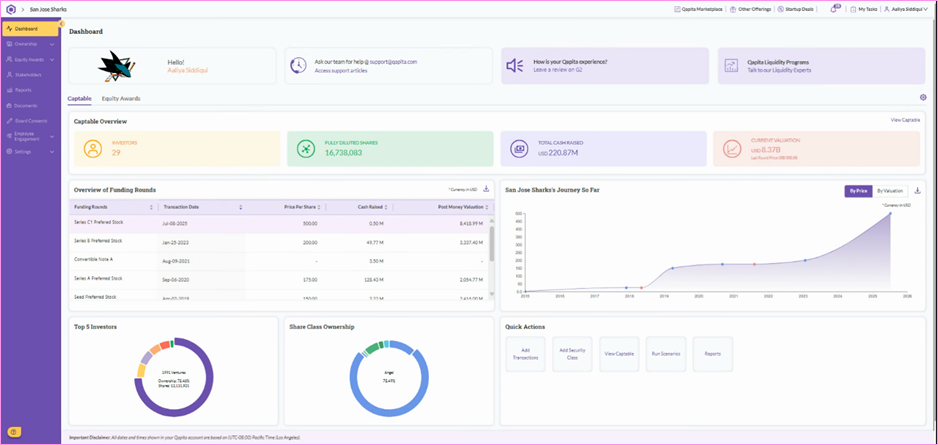
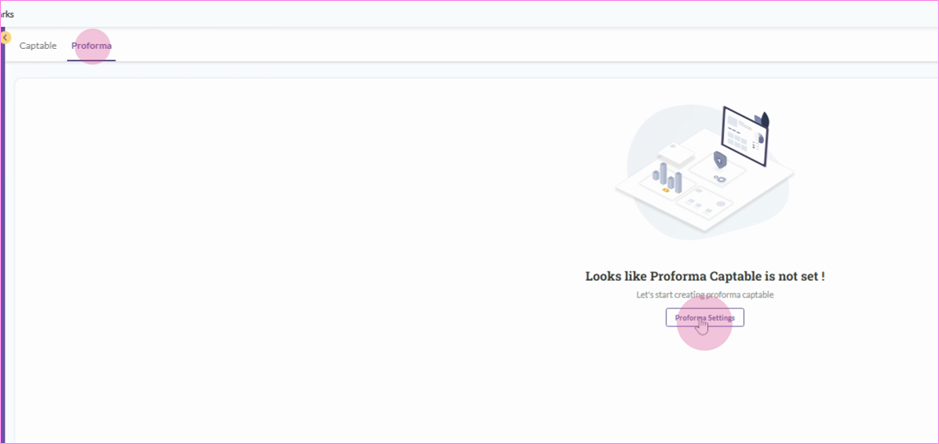
Step 2: In the Cap table, click on the Proforma option, then select Proforma Settings. From there, decide whether to convert Convertible Notes or exercise Warrants and Equity Awards.
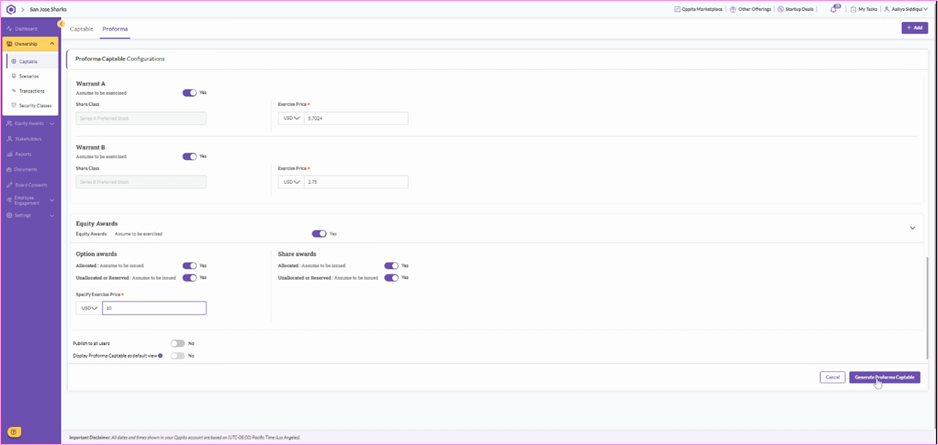
Step 3: Set the conversion details for each convertible note and decide whether to exercise any warrants or equity awards as part of your scenario. Once all entries are confirmed, click on Generate Proforma Cap table.
Step 4: Your Proforma Cap Table is now created! You can also view the cap table breakdown by Security Classes for a clearer understanding of ownership distribution.
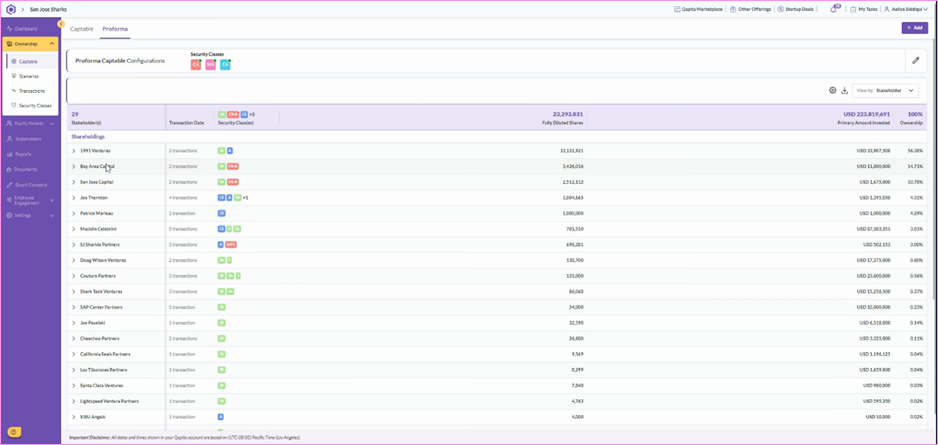
Step 5: You can also add fields like Security Class Name, Stakeholder Category, Type of transaction, and others to tailor the cap table view to your needs.
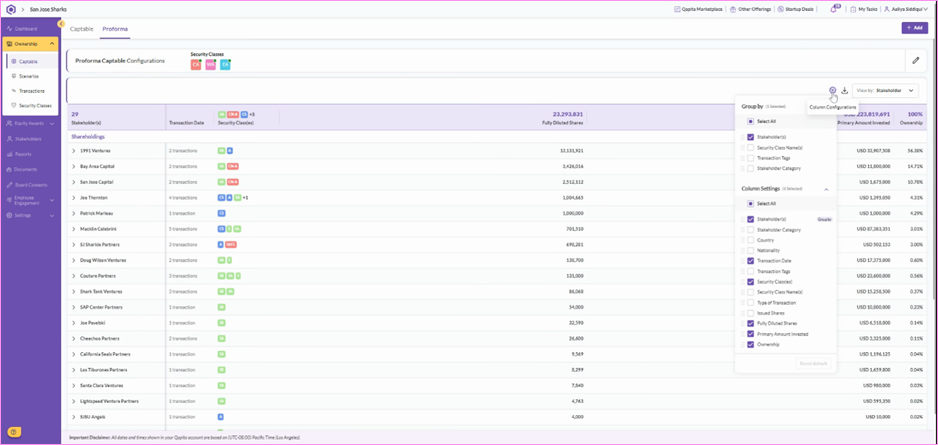
And that's it! You’re now all set to use the Proforma Cap Table in Qapita.
Scenario Analysis
|
This article will guide you through running a scenario analysis in the Ownership section of the Qapita platform, helping founders and investors better understand the impact of equity events.
Step 1: Navigate to the Ownership section and click Scenarios.
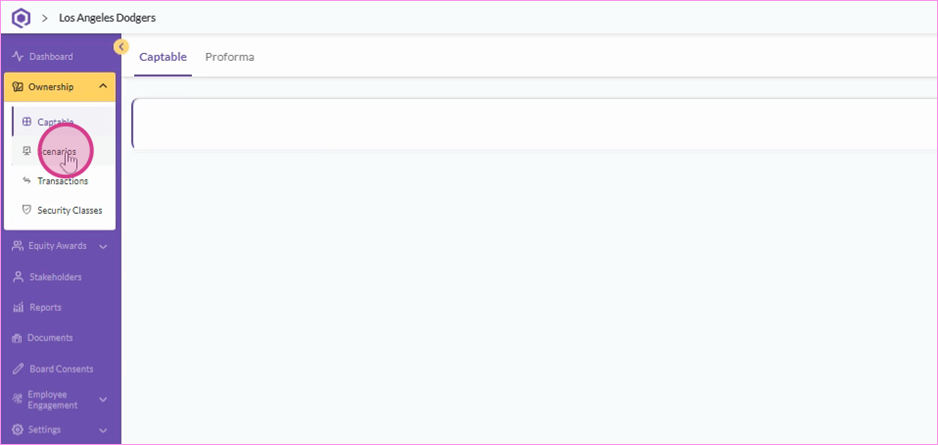
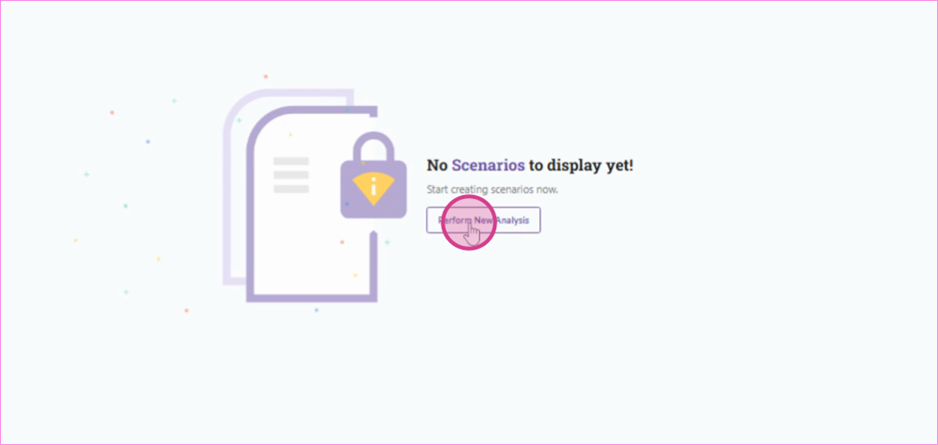
Step 2: Select the option to Perform New Analysis.
Step 3: There are Waterfall and Finance Round options. Pick Waterfall to model payouts during an exit or select Finance Round to see how new funding round will affect ownership and dilution.
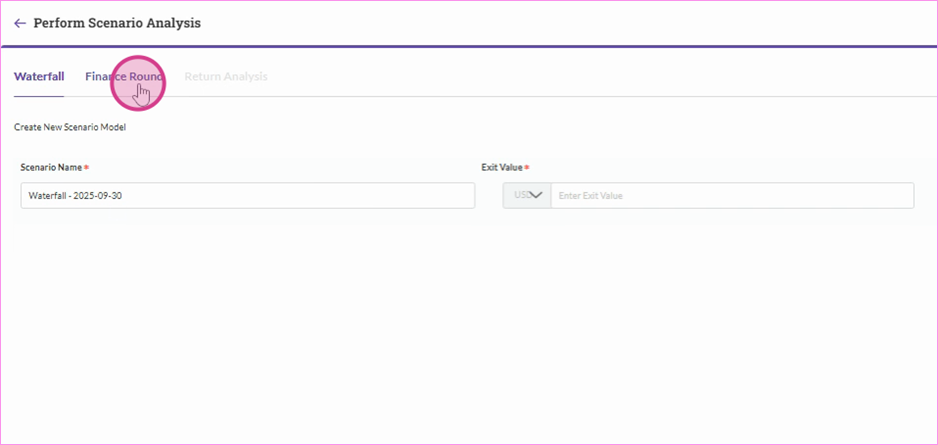
Step 4: You can run a test analysis by filling out all the required fields, then click Save Scenario to complete.
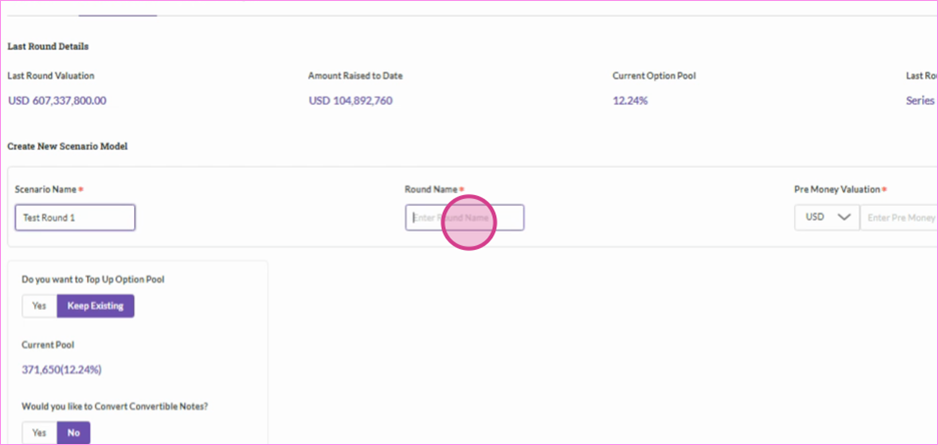
Step 5: And that's it! Your Scenario Analysis is now created.
You'll be able to see how a new investment affects overall ownership and dilutes existing stakeholders. Plus, you'll see the conversion details of convertible notes for each stakeholder.
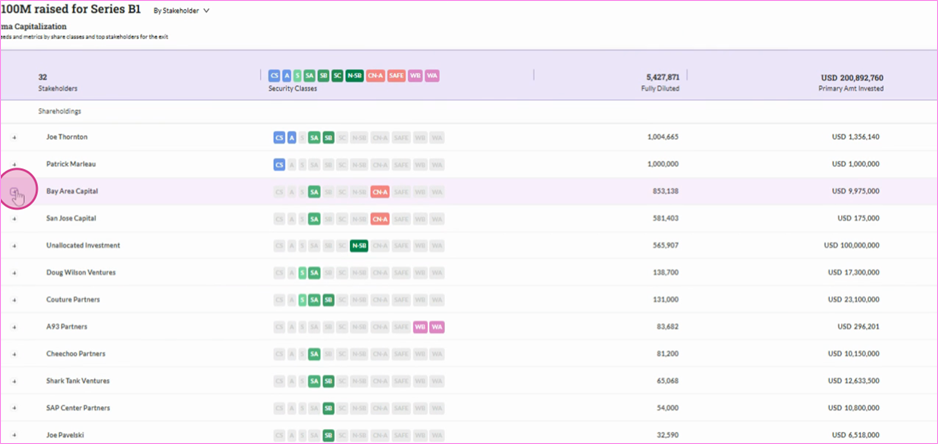
Remember: You can perform multiple scenario analyses and review all the details of your inputs. You also have the flexibility to go back and edit existing scenarios or create new ones at any time
Was this article helpful?
That’s Great!
Thank you for your feedback
Sorry! We couldn't be helpful
Thank you for your feedback
Feedback sent
We appreciate your effort and will try to fix the article