First, click on the forgot password option.
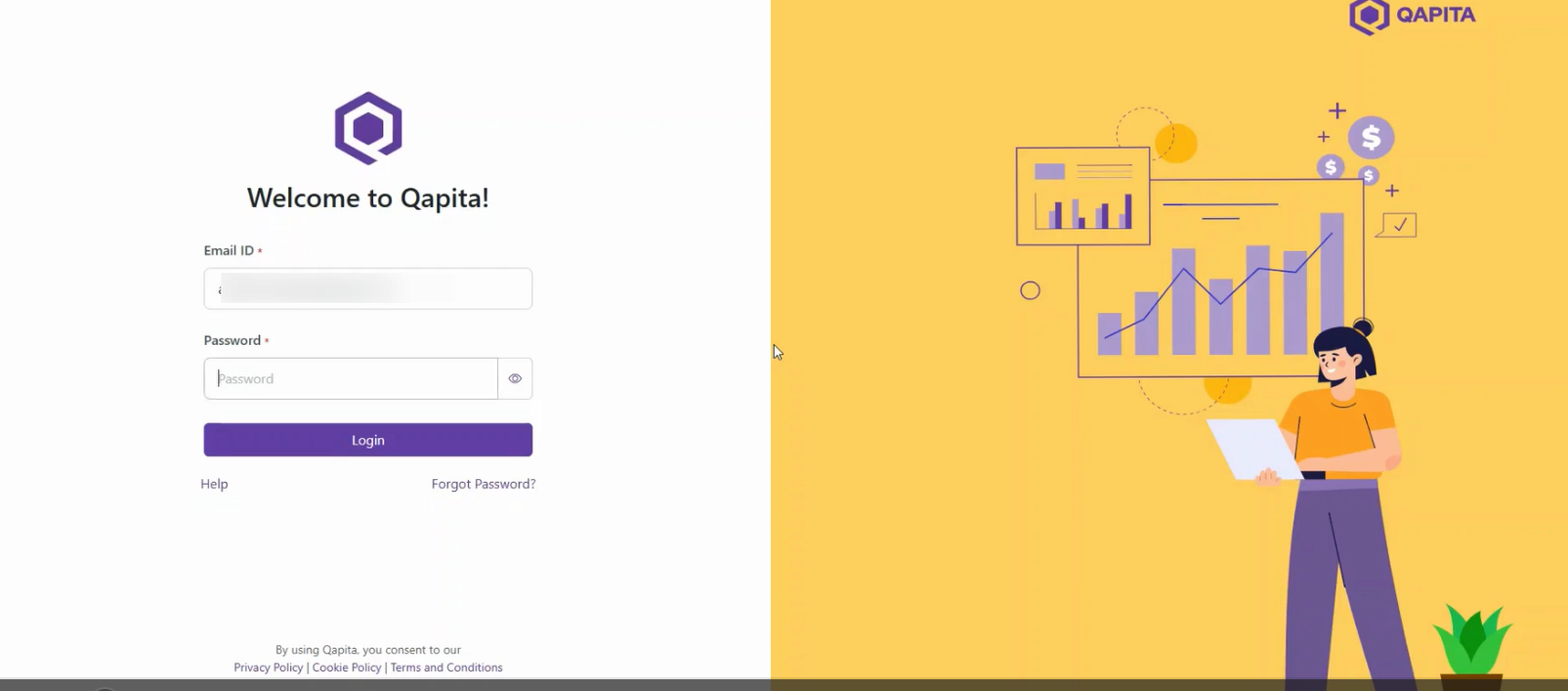
Then, you ll see a send reset link button. click on that. A reset password link is sent to your email ID.
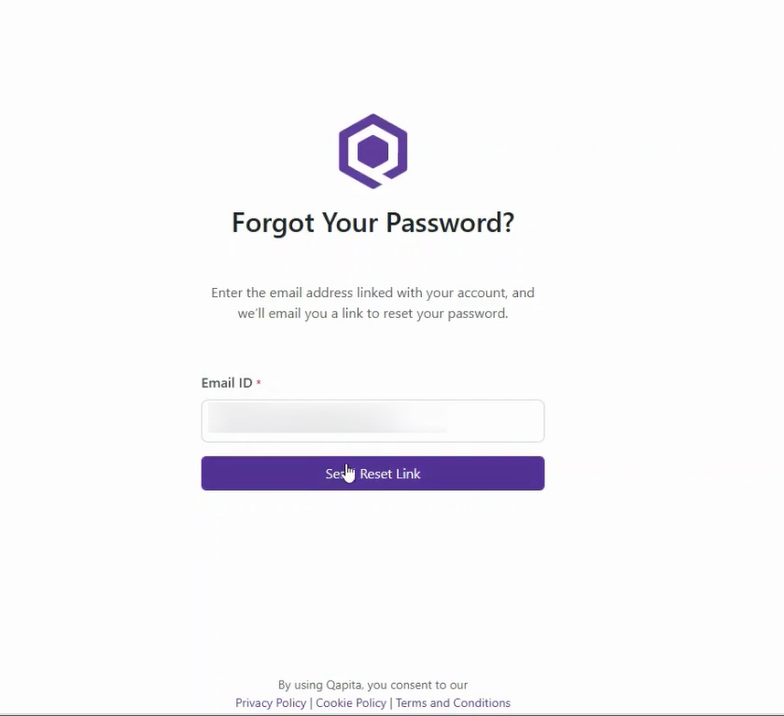
Go to your inbox and find the email. I the email, click on reset password. This will take you to a new page to set your new password.
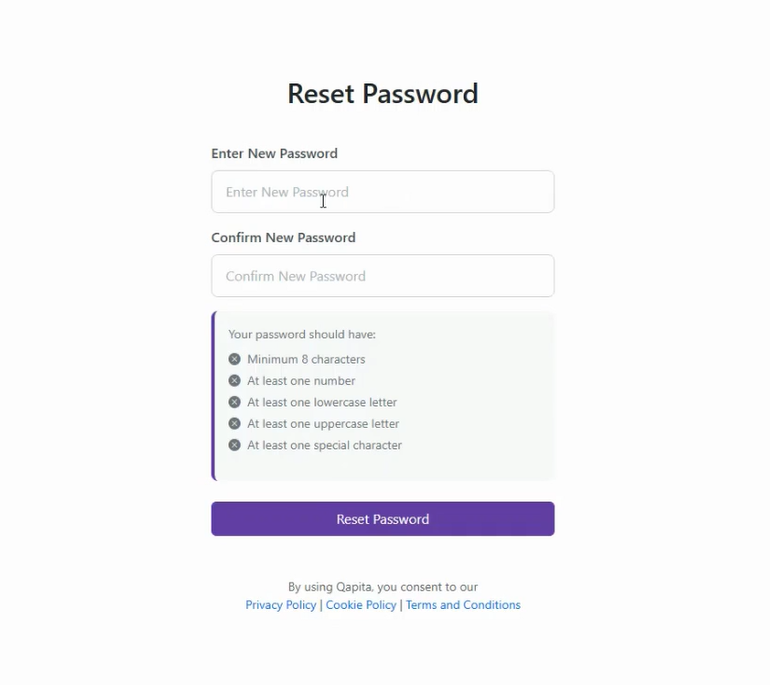
Here, enter the new password. Then, click on reset password. After this, you will be taken back to the login page. enter your email ID and the new password you just created. then click on login. After that, you will receive an OTP in your inbox. Go back to your inbox to get the OTP .
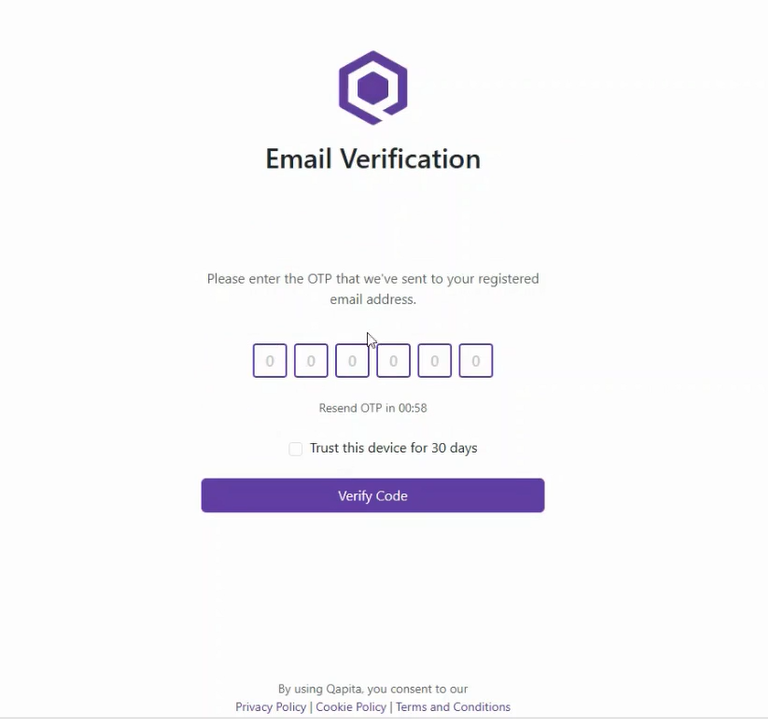
Paste the OTP and select Trust this device and verify the code. You will be able to login to the Qapita Platform.
Was this article helpful?
That’s Great!
Thank you for your feedback
Sorry! We couldn't be helpful
Thank you for your feedback
Feedback sent
We appreciate your effort and will try to fix the article