When changes are required without introducing a new incorporation document, existing share classes can be edited directly.
Steps to correct share class details
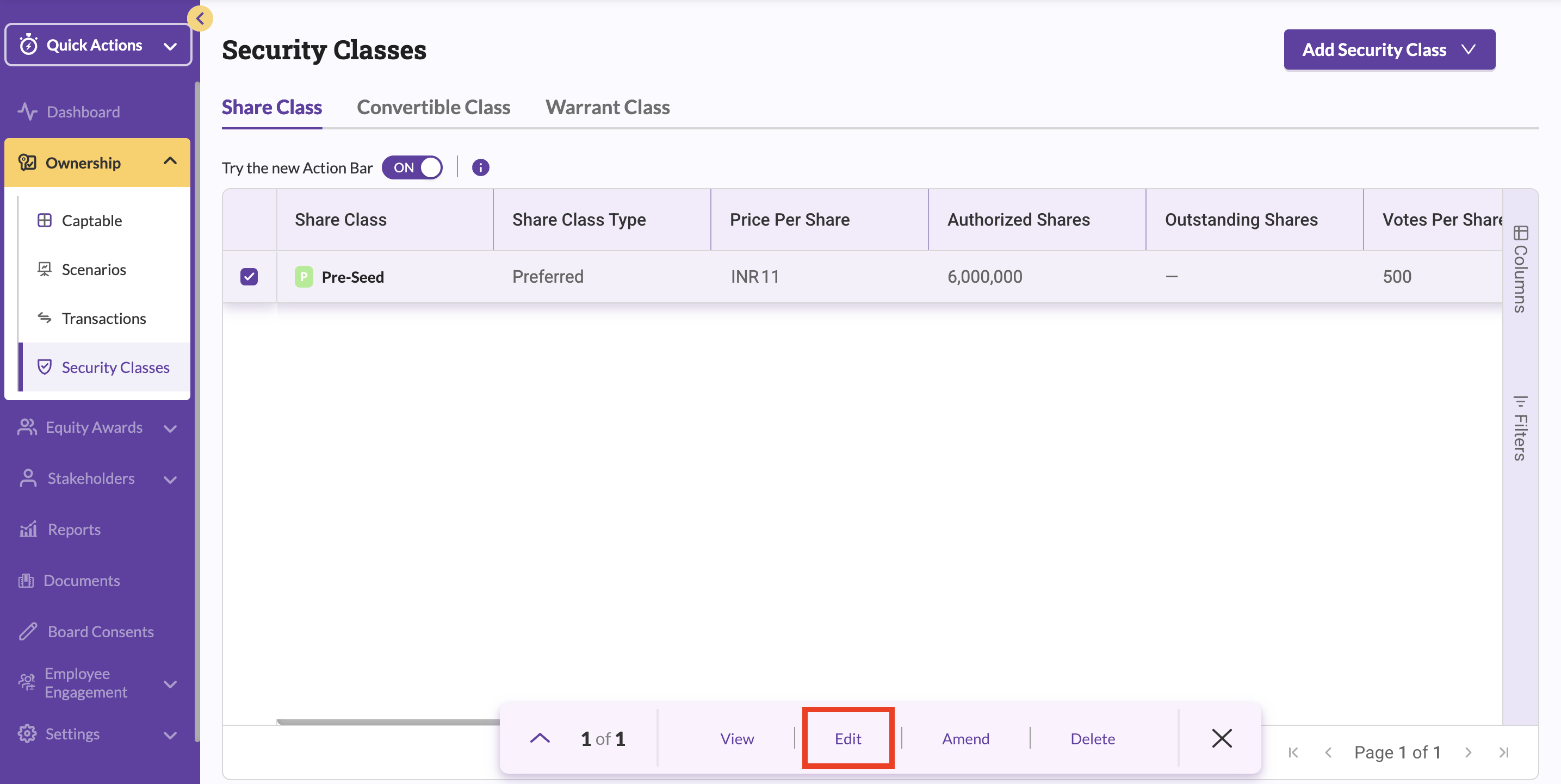
- Click Ownership in the left navigation bar.
- Select Security Classes.
- View the list of all existing share classes.
- Select the checkbox next to the share class you want to update.
- Choose Edit, Amend, or Delete as required.
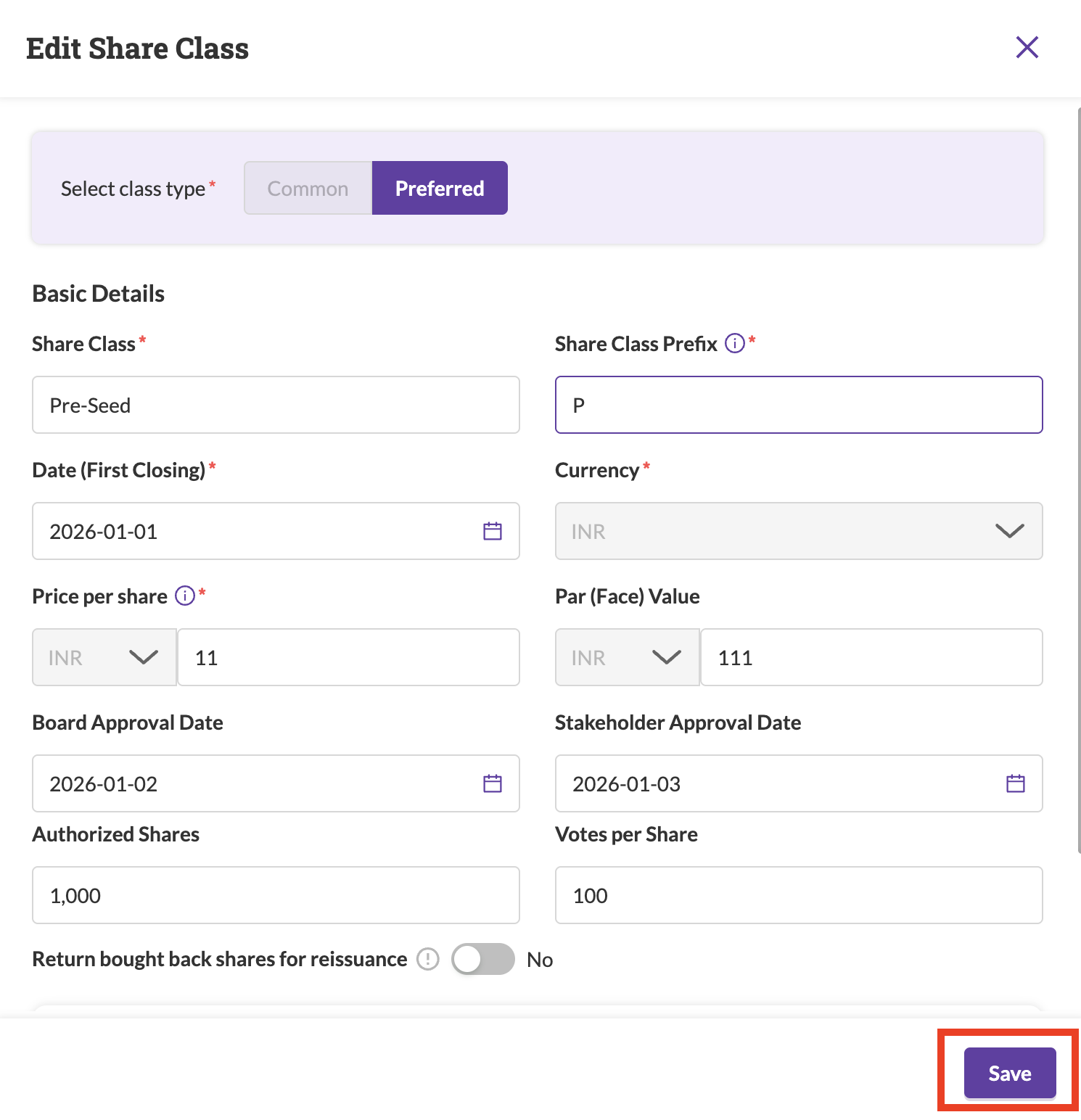
- Update the editable fields and save your changes.
Was this article helpful?
That’s Great!
Thank you for your feedback
Sorry! We couldn't be helpful
Thank you for your feedback
Feedback sent
We appreciate your effort and will try to fix the article