2.4 409A
A 409A valuation is crucial in the U.S. for private companies that issue stock options or other deferred compensation to employees. It determines the fair market value (FMV) of a company's common stock, which is essential for setting the exercise price of stock options to avoid severe tax penalties for both the company and the employees under Internal Revenue Code Section 409A. Therefore, obtaining a regular 409A valuation ensures compliance with IRS regulations and protects employees from unfavorable tax implications upon exercising their options.
|
Recording your latest 409A valuation in Qapita
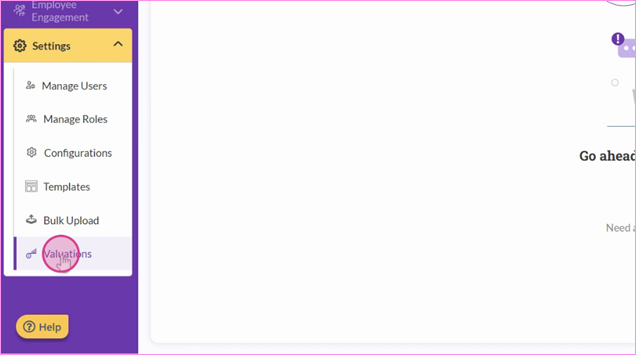
Step 1: Start by navigating to Setting and then Valuations.
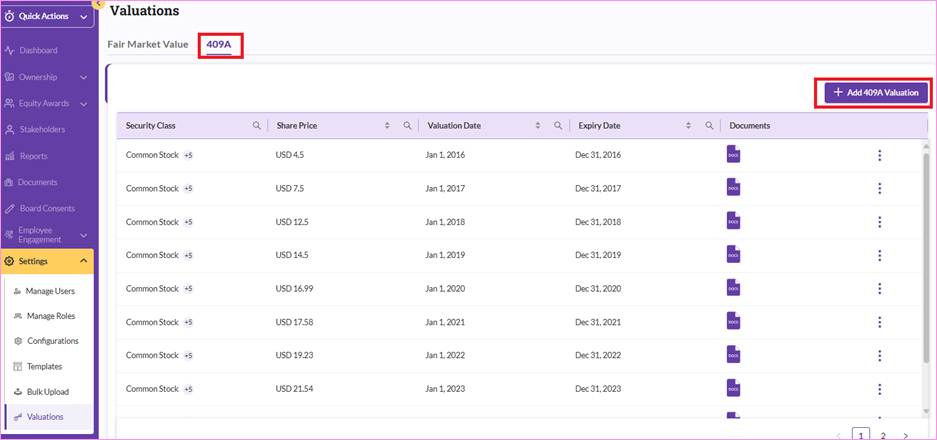
Step 2: Click on the 409A tab and click on “Add 409A Valuation”.
Step 3: Here, you're able to input the share price, define the security classes that you would like to link to the valuation, and select the valuation date.
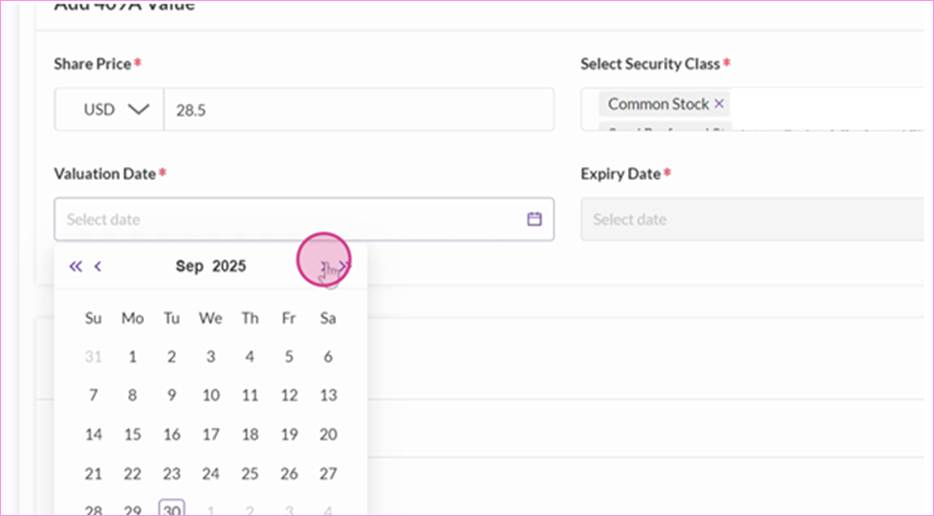
Note: by default, your expiry date will be one year after the valuation date that you selected. The system will auto-fill in the expiry date for you. You're also able to input any comments and upload supporting documents, such as your 409A valuation report.
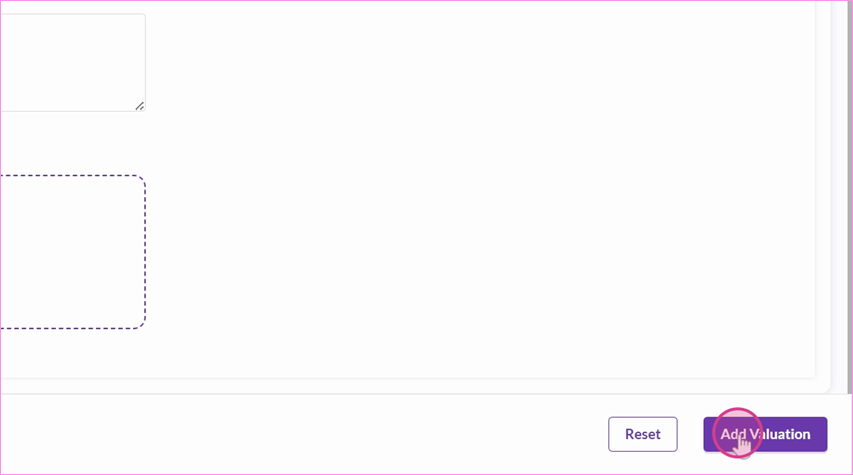
Step 4: Once done, click "Add Valuation".
Things to Note
Companies typically obtain a 409A valuation report annually or whenever there is a material event that could affect the company's valuation, such as a new funding round or significant business changes. A 409A valuation report is generally considered valid for 12 months from the effective date, provided no material events have occurred.
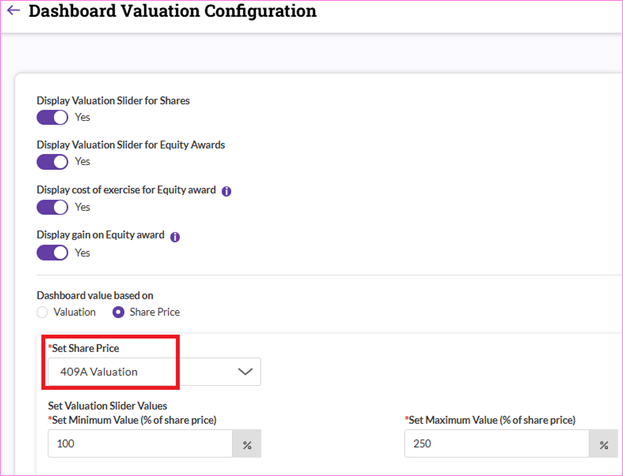
The latest 409A valuation share price will be linked to certain sections within the system such as employee dashboard, exercise workflow and cash settlement/surrender workflow configuration.
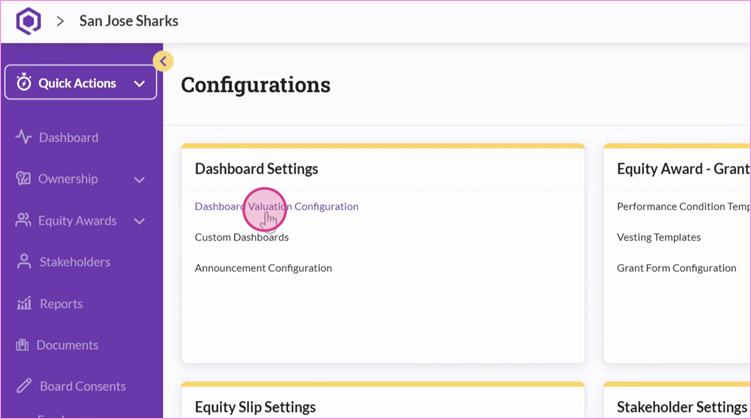
For example, if your dashboard valuation configuration setting was linked to 409A valuation, the share price will be auto updated by the system with the latest 409A valuation price.
Was this article helpful?
That’s Great!
Thank you for your feedback
Sorry! We couldn't be helpful
Thank you for your feedback
Feedback sent
We appreciate your effort and will try to fix the article